Voting Event
Entity Aliases
Customize the names of basic voting entities like Position, Candidate, Group, and Voter.
Aliases let you rename Pepvote labels so a voting event matches your organization language. For example, you can use Office instead of Position, Nominee instead of Candidate, or Student ID instead of Voter ID.
Available aliases
- Voting Event
- Position
- Candidate
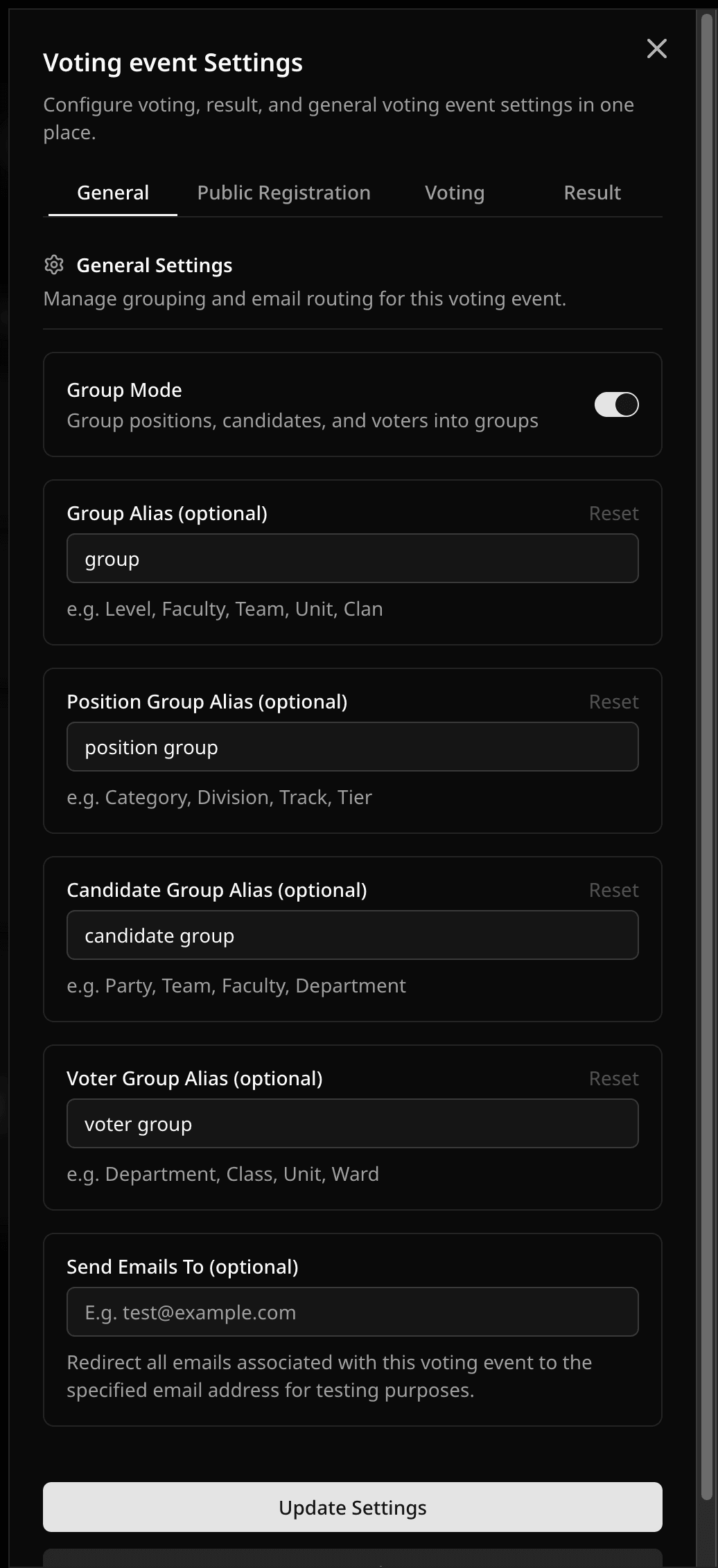
- Group
- Position Group
- Candidate Group
- Voter Group
- Voter
- Voter ID
- Sponsor (poll voting events)
Adding an Alias
- Open the voting event dashboard.
- Select Update Aliases from Manage Voting Event or the command menu.
- Fill in the labels you want to use.
- Enable Group Mode if you need group-specific aliases.
- Click Save.
Voter ID Alias
The Voter ID alias changes the label voters see when they are asked for an ID during registration or before voting.
Voter ID Examples
The Voter ID can be any unique identifier your voting event team already uses, such as:
- Staff ID
- Matric number
- Student ID
- Membership number
- Employee ID
Was this helpful?
Last updated August 27, 2026