Voting Settings
Group Mode
Learn how to enable Group Mode and group positions, candidates, and voters.
Group Mode adds grouping tools to the voting event dashboard. It can be used for categories, parties, departments, teams, tracks, wards, or any other grouping language your organization uses.
Note: Group Mode is off by default because many voting events do not need grouped ballots or grouped participant data.
What is Group Mode?
Group Mode unlocks the Groups tab and lets Pepvote group:
- Positions
- Candidates
- Voters
You can also customize the labels for each grouping type.
How to enable Group Mode
- Open the voting event dashboard.
- Open Voting Event Settings.
- In the General tab, turn on Group Mode.
- Optionally set group aliases such as Category, Party, Faculty, Department, or Ward.
- Save the settings.
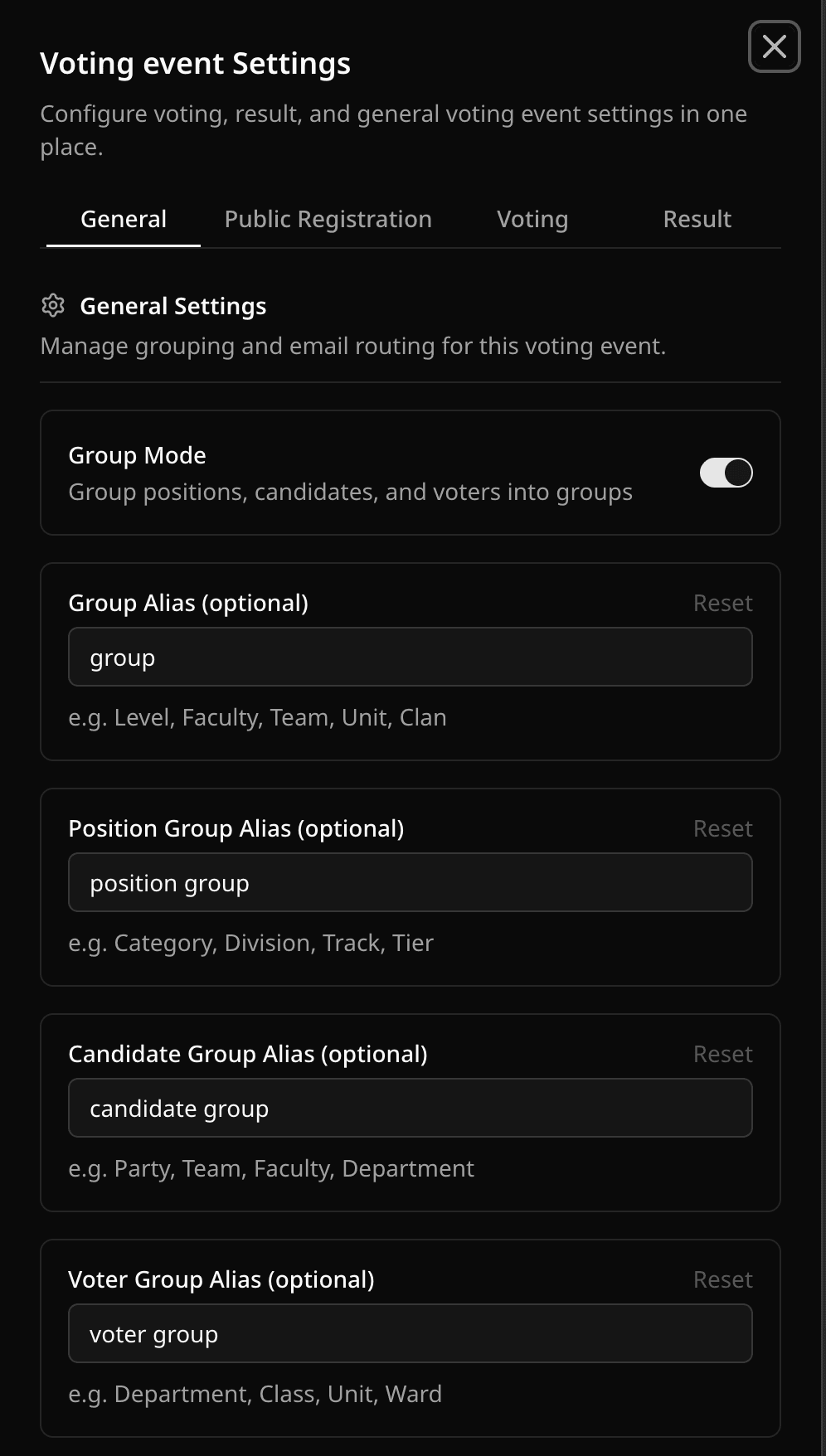
You can also toggle Group Mode from Setup Ballot while you are building the ballot.
What changes after enabling Group Mode
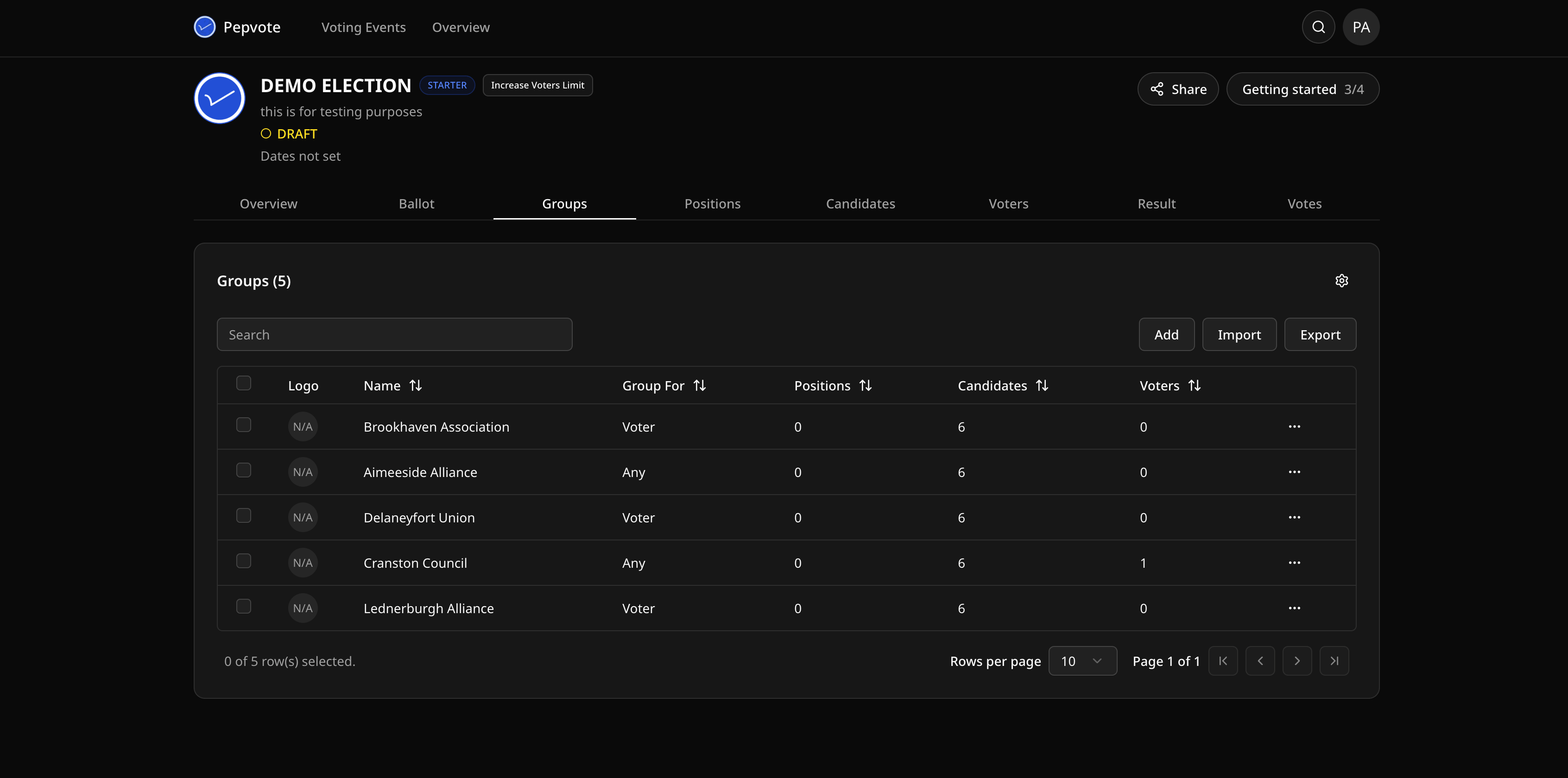
- The Groups tab becomes available to roles that can manage voting event data.
- Positions, candidates, and voters can be assigned to groups.
- The ballot and result pages can show grouped sections when positions are grouped.
- Candidate cards can display group context when candidates have a group.
Was this helpful?
Last updated August 27, 2026