Email Voting
How Pepvote sends voter email access and voter key emails for election voting.
What Email Voting means in Pepvote
Email Voting in Pepvote is the flow where an approved voter uses their email address to receive a Voter Key and then uses that key to cast votes securely.
This is typically used for election-style voting where:
- the voter already exists in the voting event
- the voter has an email address on their record
- the voter has been approved
How the Email Voting flow works
For a typical voter, the process is:
- Open the public cast-votes link.
- Pepvote loads the voting event code from the link.
- Enter the voter email address linked to the voting event, unless Voter ID is required.
- Receive a voter key by email.
- Enter the voter key on the next step.
- Review the ballot and submit votes.
When Voter ID is required
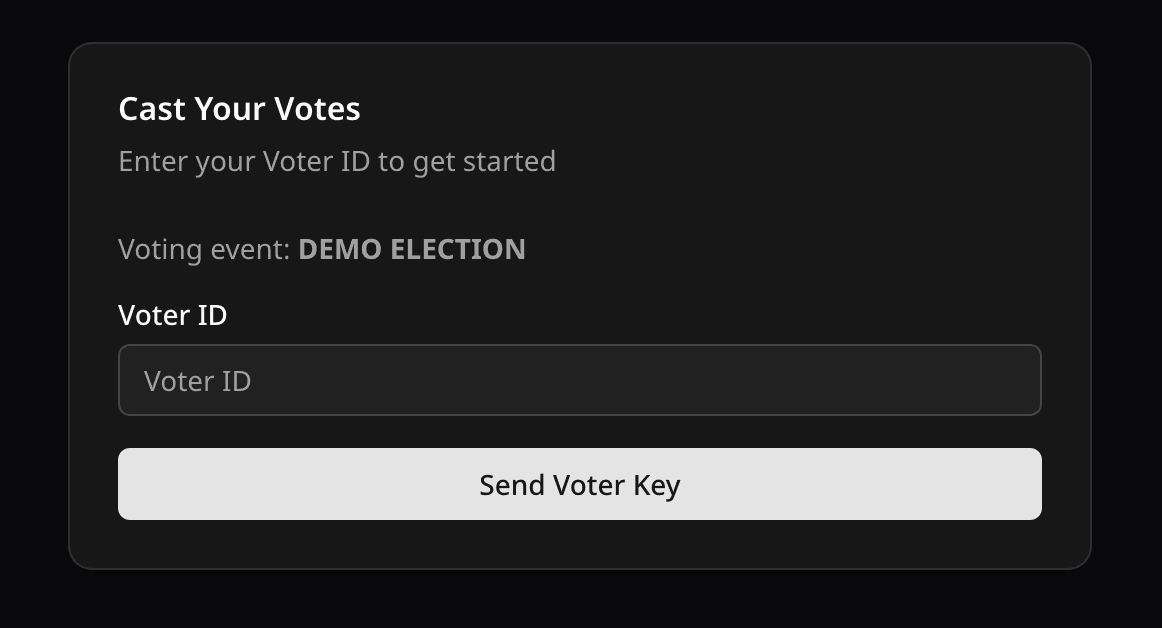
Some voting events use Voter ID instead of voter email at the first step.
When Voter ID is required:
- the voter opens the public cast-votes link
- the voter enters their Voter ID
- Pepvote sends the voter key to the email associated with that voter record
If the voter record has no email, Pepvote cannot send the voter key.
Emails involved in this flow
Pepvote can send these emails as part of voting access:
1. Voting has started
When the voting event start time is reached, Pepvote can send a Voting has started email to approved voters who have email addresses.
This email helps notify voters that the ballot is now open.
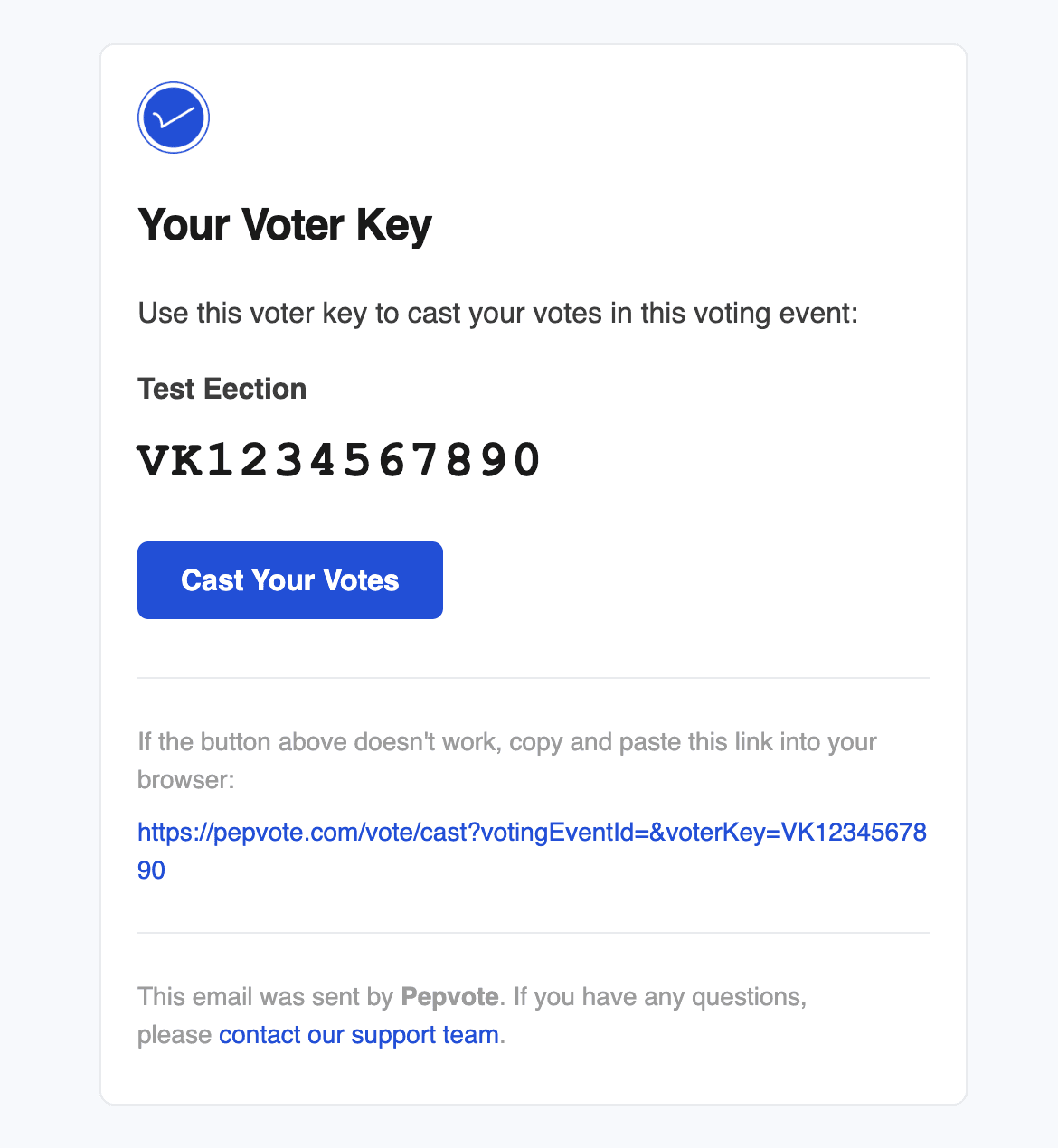
2. Your Voter Key
After the voter enters the correct voting event code and voter email or Voter ID, Pepvote sends a Voter Key email.
The email includes:
- the voter key
- a direct button to the voting page
- the voting URL as a fallback link
3. Votes submitted
After the voter successfully submits votes, Pepvote can send a confirmation email to the voter if an email address exists on the voter record.
4. Self-registration approved
If public registration is enabled and Send Approved Notification is turned on, Pepvote can notify approved self-registered candidates or voters.
5. Candidate photo-upload request
When participant invite emails are available on the voting event plan, teams can request a candidate photo upload by email.
Requirements for Email Voting to work
Email Voting depends on all of the following:
- the voting event code is valid
- the voting event has started
- the voting event has not ended
- the voter exists in that voting event
- the voter is approved
- the voter has not already voted
- the voter record has an email address if Pepvote needs to send a voter key
- the voting event email routing is not redirected to a test address unless that is intentional
Common reasons a voter does not receive the voter key email
Check these first:
- the email address entered does not match the voter record
- the voter is not approved
- the voter has already voted
- the voter record has no email address
- the wrong voting event code was entered
- the voter requested the key too many times in a short period
- the email landed in spam or promotions
- Send Emails To is set and emails are being redirected to a test inbox
What admins should verify
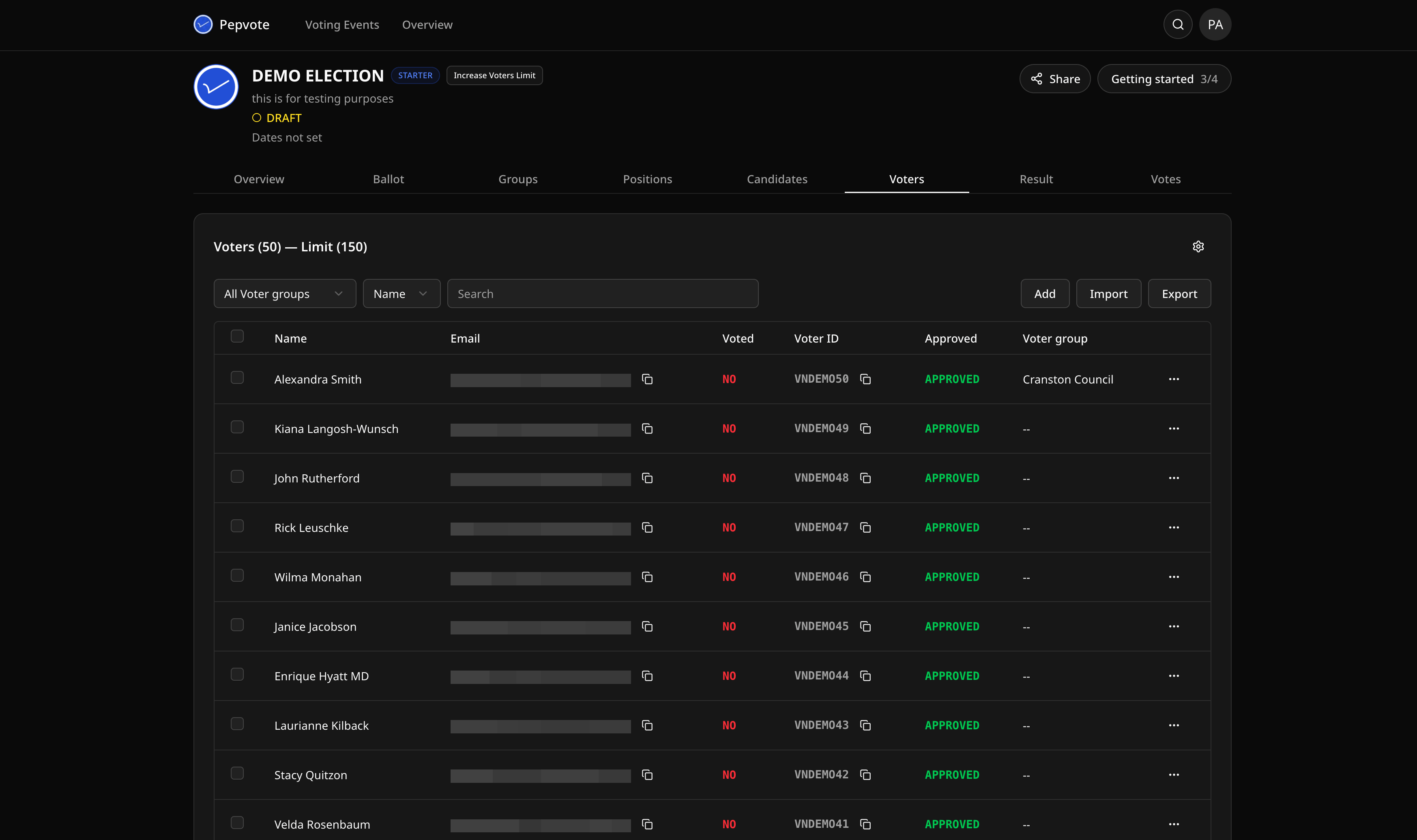
If a voter cannot continue, the voting event team should confirm:
- the voter record exists in the correct voting event
- the voter email is correct
- the voter is approved
- the voting event is active
You can review voter records and approval status from the voting event dashboard.
Poll voting note
Poll voting does not use voter key emails. Poll voters cast votes from the public cast-votes link. If configured, Pepvote may ask for Voter ID, name, or email before the poll ballot.
Related help
Last updated August 27, 2026