Self Registration
Enable self-registration for candidates and voters.
Pepvote supports public self-registration for candidates and, for election voting events, voters.
Note: Self-registered candidates and voters require approval before they can participate.
Candidate self-registration
Enable candidate registration from Voting Event Settings:
- Open the voting event dashboard.
- Open Voting Event Settings.
- Select the Public Registration tab.
- Turn on Candidate Can Register.
- If needed, turn on Candidate Can Contest Multiple Positions.
- Save the settings.
- Use Share Links to copy the Candidate Registration Link.
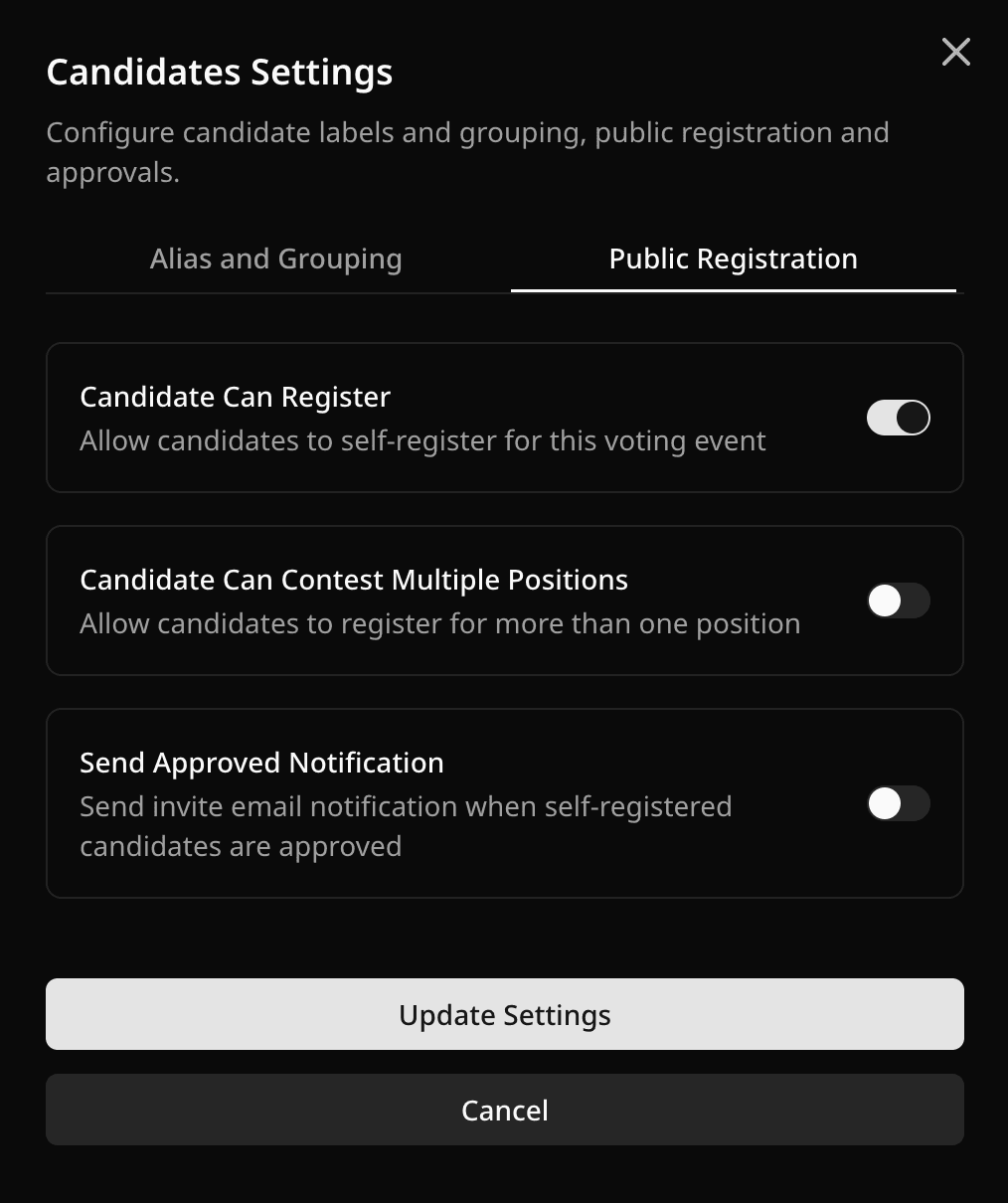
Candidates register at:
/candidate/register?votingEventCode=YOUR_CODE
The candidate registration link appears in Share Links only when candidate registration is enabled.
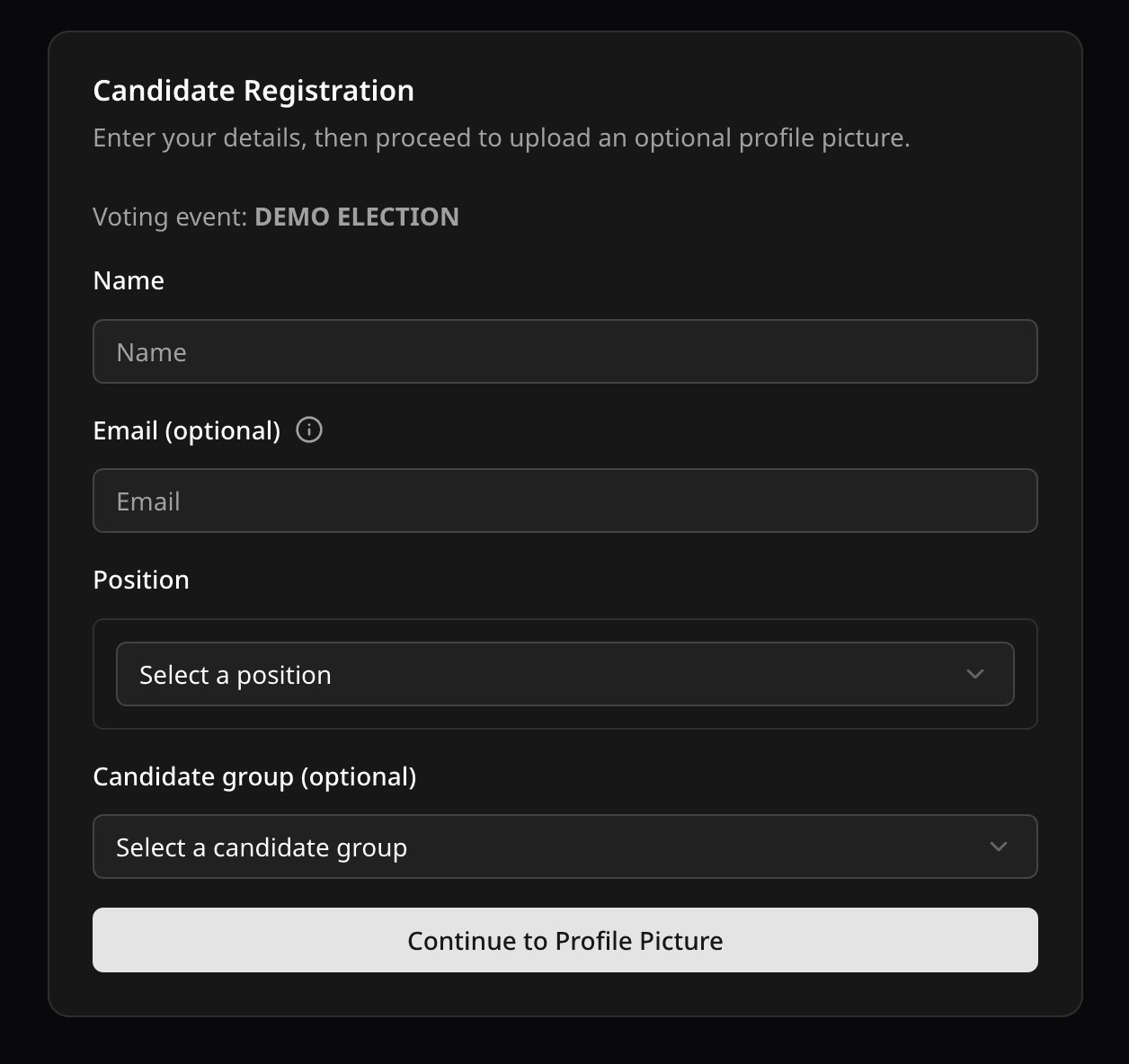
Info: Candidates can register only while the voting event is Draft or Upcoming.
Voter self-registration
Voter self-registration is available for election voting events.
- Open the voting event dashboard.
- Open Voting Event Settings.
- Select the Public Registration tab.
- Turn on Voter Can Register.
- If needed, require a Voter ID and add optional Voter ID validation.
- Save the settings.
- Use Share Links to copy the Voter Registration Link.
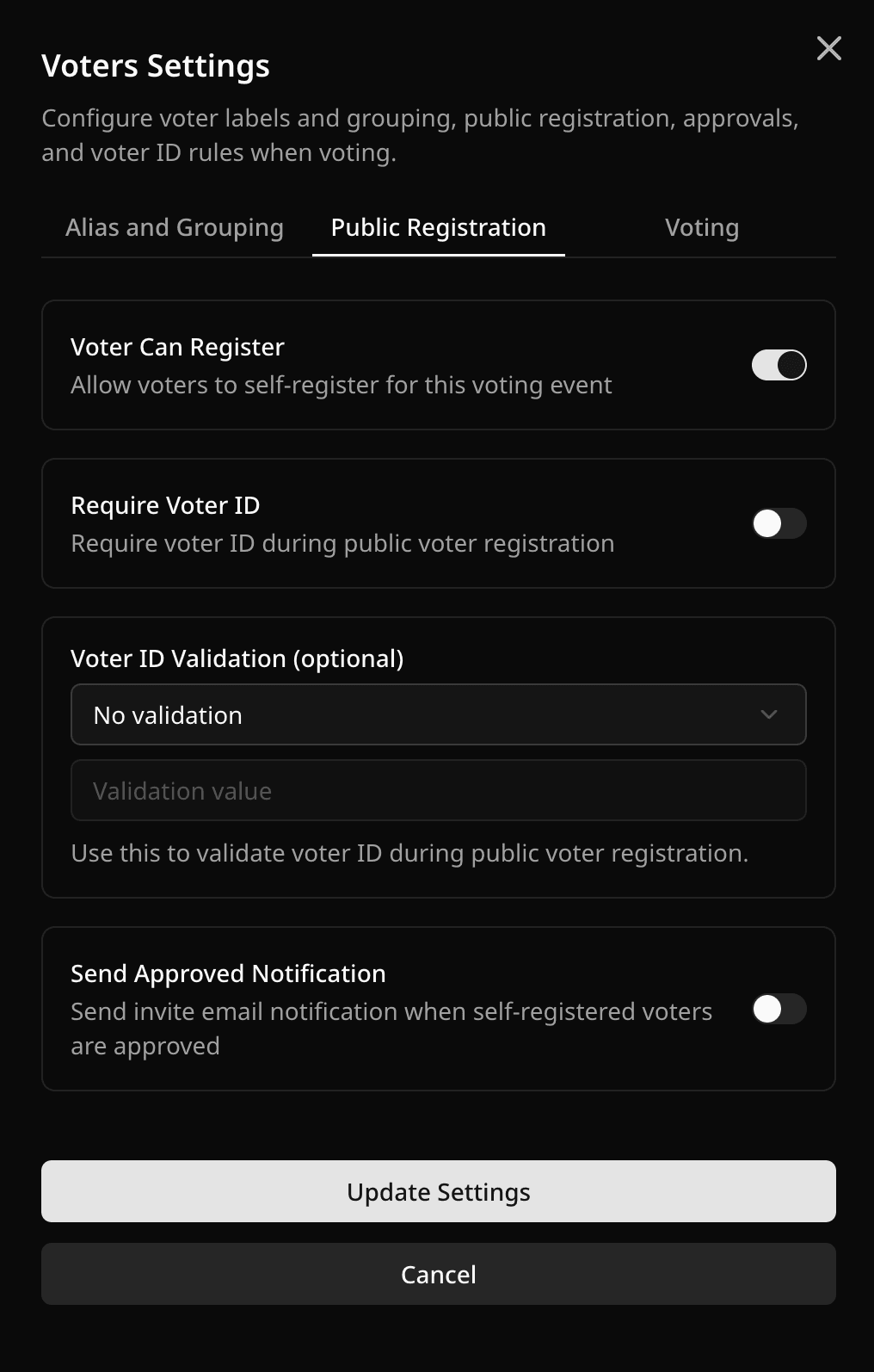
Voters register at:
/voter/register?votingEventCode=YOUR_CODE
The voter registration link is shown only for election voting events when voter self-registration is enabled.
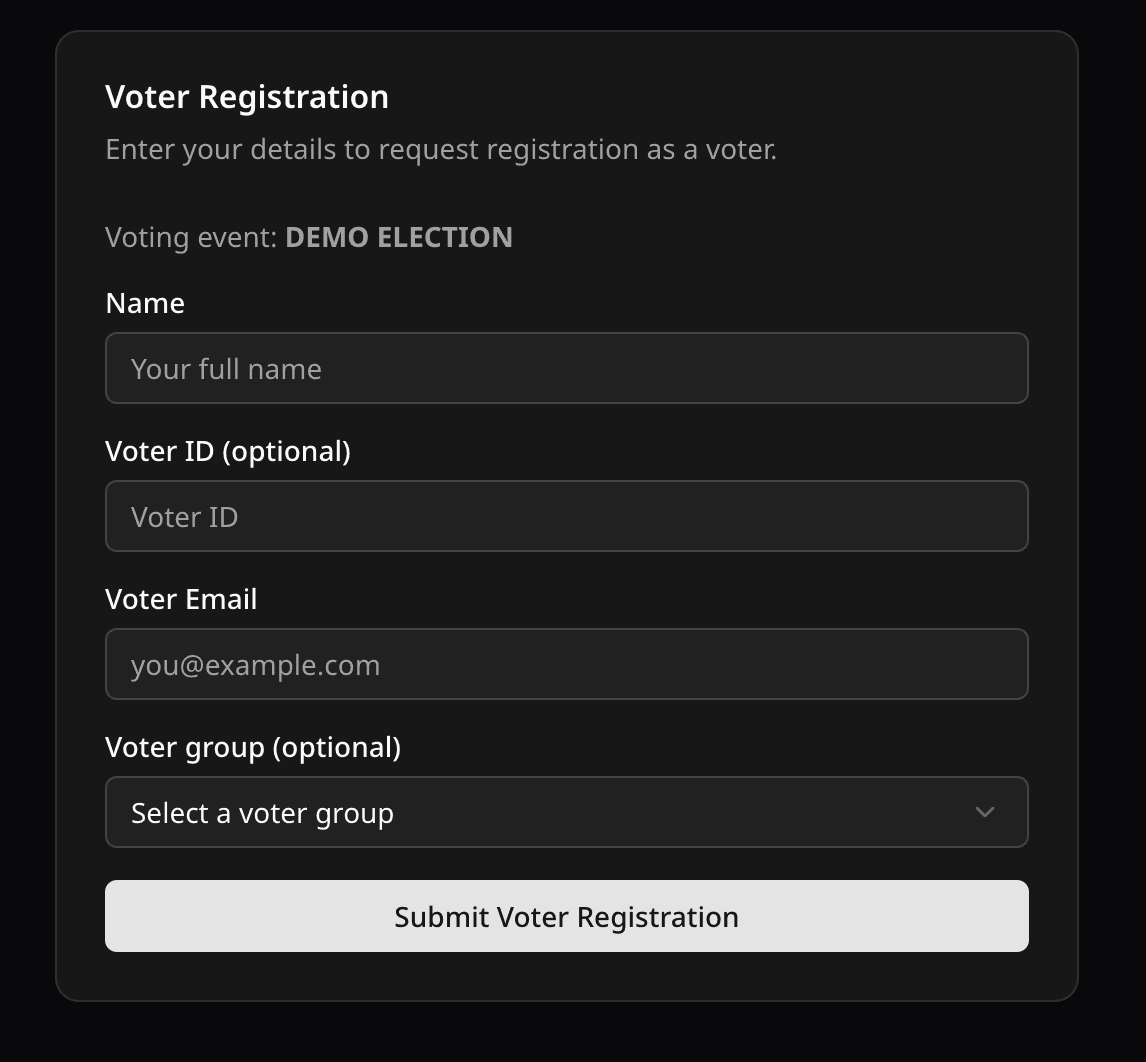
Info: Voters can register only while the voting event is Draft or Upcoming.
Approval workflow
After self-registration:
- Review candidates from the Candidates tab.
- Review voters from the Voters tab.
- Approve valid records before voting starts.
- If Send Approved Notification is enabled, Pepvote can email approved self-registered candidates or voters.
Last updated August 27, 2026