Company Tunji Oyeniran
Pepvote is back
Pepvote ran its first online election in 2018. This year I rebuilt it from an empty folder, for elections, polls, and awards.

Pepvote ran its first online election on September 26, 2018. NYSC EDUICT in Ado Ekiti elected new executives that morning. There were 120 voters and 8 aspirants. The voting devices were one HP laptop, a Samsung tablet, and a few mobile phones.
Two more elections followed within months. BAND CDS had 97 voters. Then the Association of Resident Doctors at University College Hospital, Ibadan registered 660 voters across several polling units. Two of the units were mobile, so that doctors who were busy in theatre could still vote.
 The audience waits for the result at the BAND CDS election in Ado Ekiti, October 2018.
Those three posts are still on this blog, in the Archive. They describe the first version of Pepvote. This post is about the version that replaces it.
A new start
On January 24, 2026, I made the first commit of a new Pepvote. I did not carry the old code over. I kept the name, and I kept what those election days taught me.
Two things stayed with me.
- Voters want proof. At ARD UCH, voters were happy that they could confirm their votes.
- People want to follow the vote. The agents at each polling unit could see how many people had voted at any time, and they trusted the result more because of it.
The new Pepvote keeps both.
What is new
You run the vote yourself. In 2018, the Pepvote team set up each election and worked at the polling units. Now you create a voting event from a dashboard. You add your positions, candidates, and voters, and you start voting when you are ready.
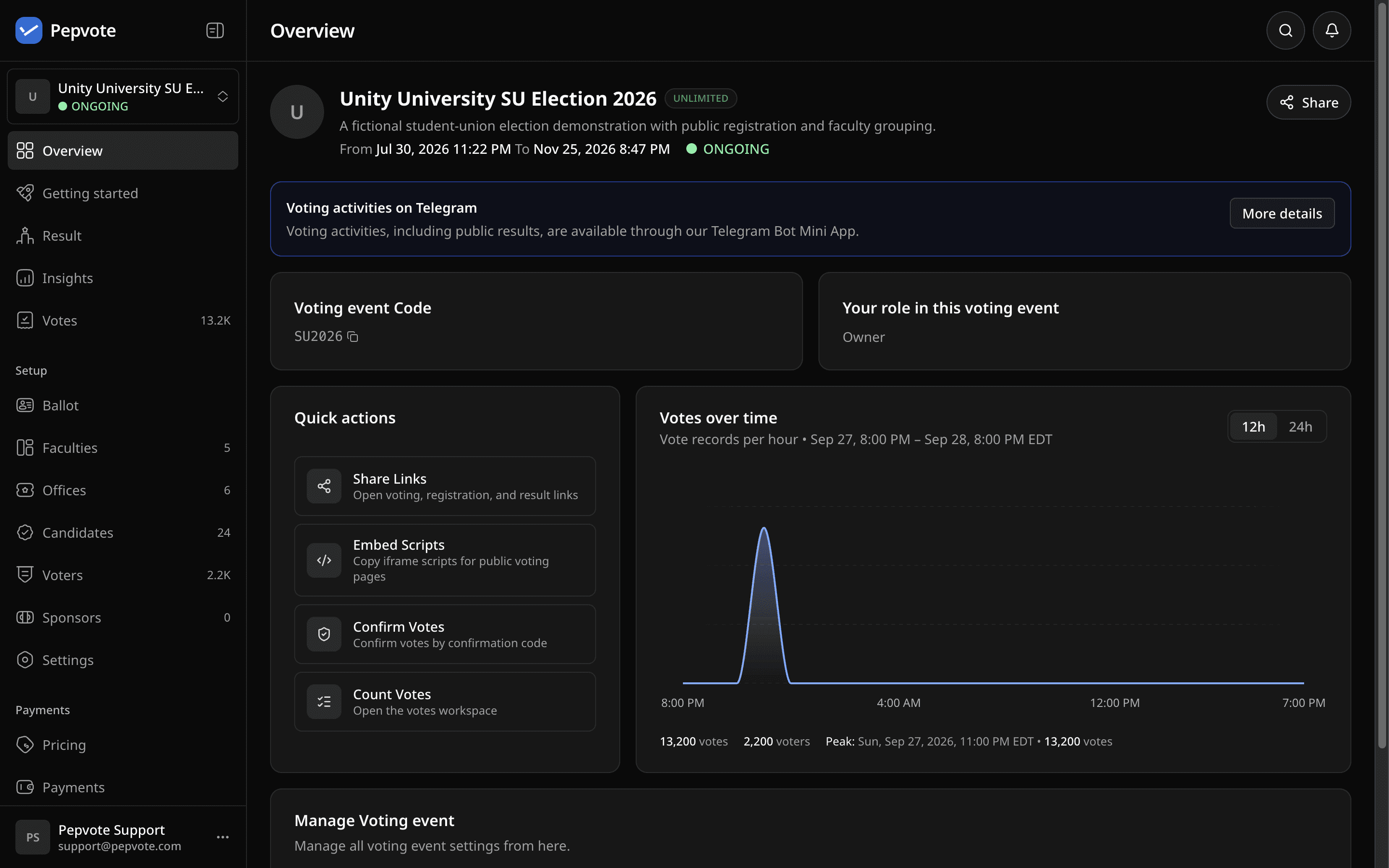 A voting event in the dashboard. You set it up, start it, and watch the votes arrive.
It does more than elections. An executive election, a quick poll, and an awards night are all voting events. You set each one up the same way.
Voters do not have to be in the room. A voter opens a link on their own phone, enters their voter key, and votes. After they submit, they get a confirmation code. They can use the code later to see the ballot they cast.
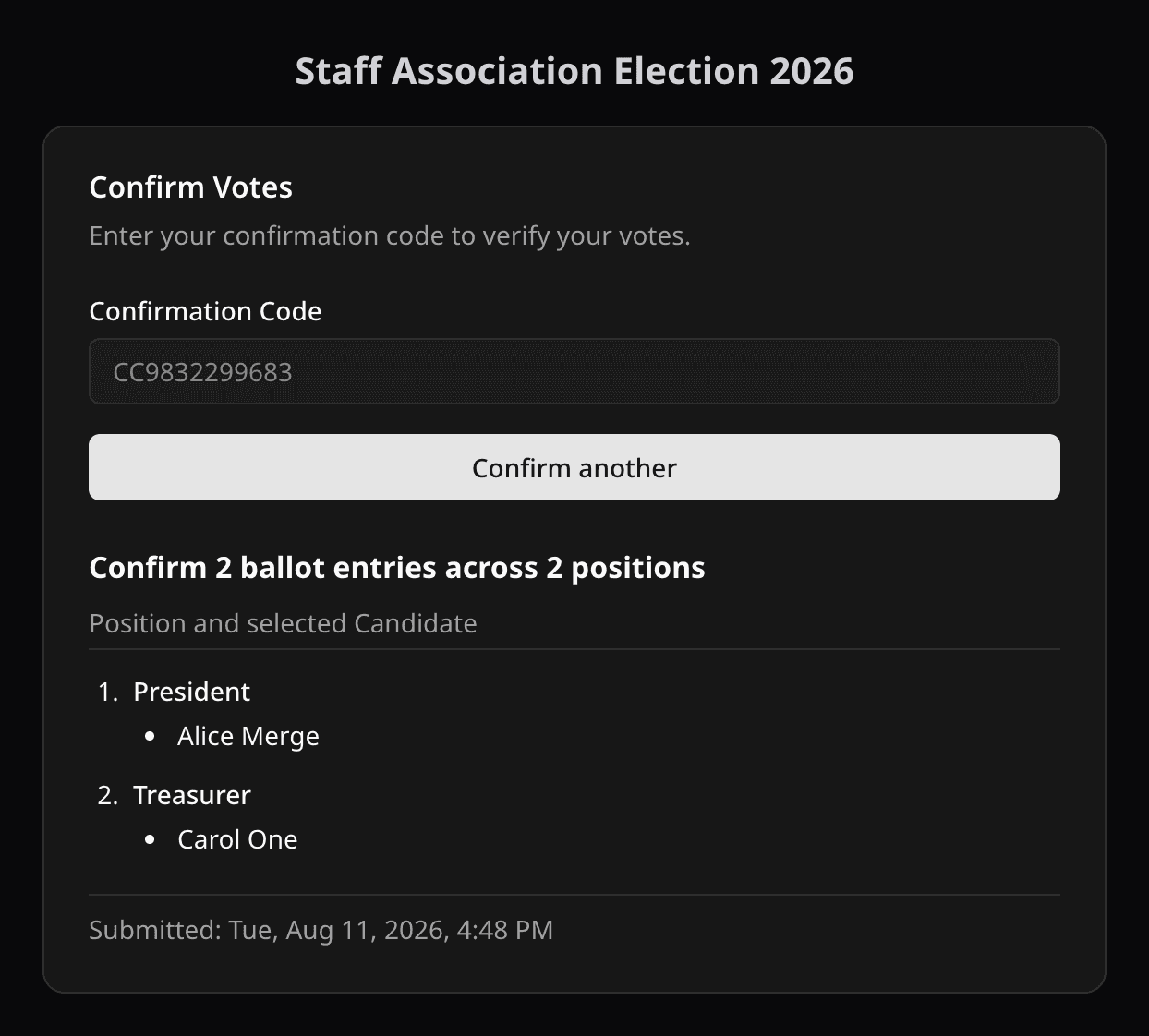 A voter enters the confirmation code and sees the ballot that was recorded.
Your structure fits. With Group mode, you sort voters and positions into faculties, chapters, or departments. The results follow the same sections.
People can put themselves forward. With public registration, candidates and voters register through a link, and you approve them. You set when registration opens and when it closes.
Next year is faster. You can import positions, candidates, and voters from an event you ran before. The pricing page shows which plan includes it.
What stays the same
A vote is still secret. Individual choices stay anonymous, even to the person who runs the event. The confirmation code lets a voter check their own ballot, and nobody else's.
The result is still open. You can publish it on a public page, so that members and agents read the same numbers you do.
Try it
Create an account, set up a voting event, and send yourself a ballot. It is free to start.
I will use this blog to write about what we ship, how we build it, and how to run a good vote.