Setup and Management
How to create a voting event
Step-by-step guide to create and prepare a new voting event on Pepvote.
Steps
Log in and go to Dashboard → Voting Events.
Click New Voting Event. If you do not have any voting events yet, you can
also click Create your first voting event.
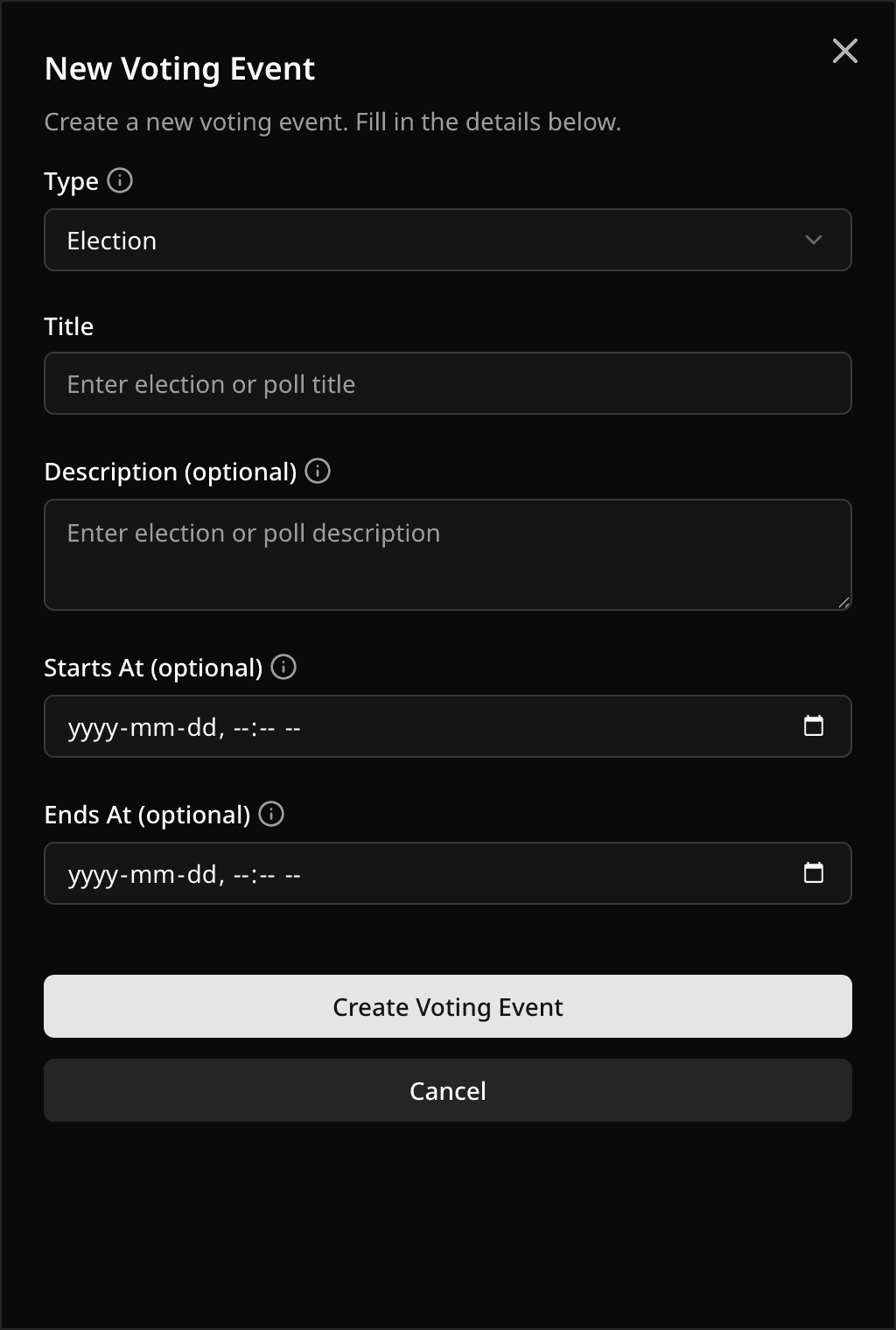
Fill in:
- Type:
ElectionorPoll - Title (required)
- Description (optional)
- Starts At (optional)
- Ends At (optional)
Click Create Voting Event.
Important notes
- If no time is set, the voting event stays in Draft state.
- Start time must be in the future when creating a voting event.
- If only
Starts Atis set, the voting event will be in Upcoming status. - If both dates are set,
Ends Atmust be afterStarts At. - Pepvote automatically generates a unique voting event code.
What to do right after creation
- Setup ballot (or add positions and candidates).
- Add voters.
- Review settings and voting settings.
- Invite your supporting voting event team if needed.
Was this helpful?
Last updated August 27, 2026