Guides Tunji Oyeniran
How to run the votes at your AGM
Motions, an election, and a possible runoff in one meeting. Set every ballot up before the day, then open each one when the chair calls it.


1 / 3
An annual general meeting is several votes in a row. The members approve the accounts. They vote on a change to the constitution. They elect a chair, and if nobody has a majority, they vote again.
Each vote depends on the one before it, and the room is waiting. This guide shows how to run the whole agenda as one Pepvote election, so that members sign in once and vote each time the chair calls for it.
Before the meeting
1. Create one election and turn on Multi-ballot
Create an election for the meeting. In your ballot settings, turn on Multi-ballot before voting starts. One event can then hold several ballots, and you open them one at a time.
Multi-ballot is on every plan. Pepvote Free runs up to 3 ballots in one event, Pepvote Starter up to 15, and For Organizations up to 30. Count your agenda items, and add one or two for a runoff.
2. Add your members as voters
Import your member list. Each member gets one voter key, and the key works for every ballot of the meeting. Nobody needs a new invite when the next vote opens.
3. Draft a ballot for each vote on the agenda
Select New ballot to draft a new ballot for each item on the agenda.
- For a motion, add a position, choose the referendum voting method, and tick Create the Yes, No, and Abstain responses for me. Write the motion as the position title, in the exact words from the notice of meeting.
- For an office, add the position and its candidates as you would in any election.
You do not have to fix the order now. On the day, you can open the drafts in any order.
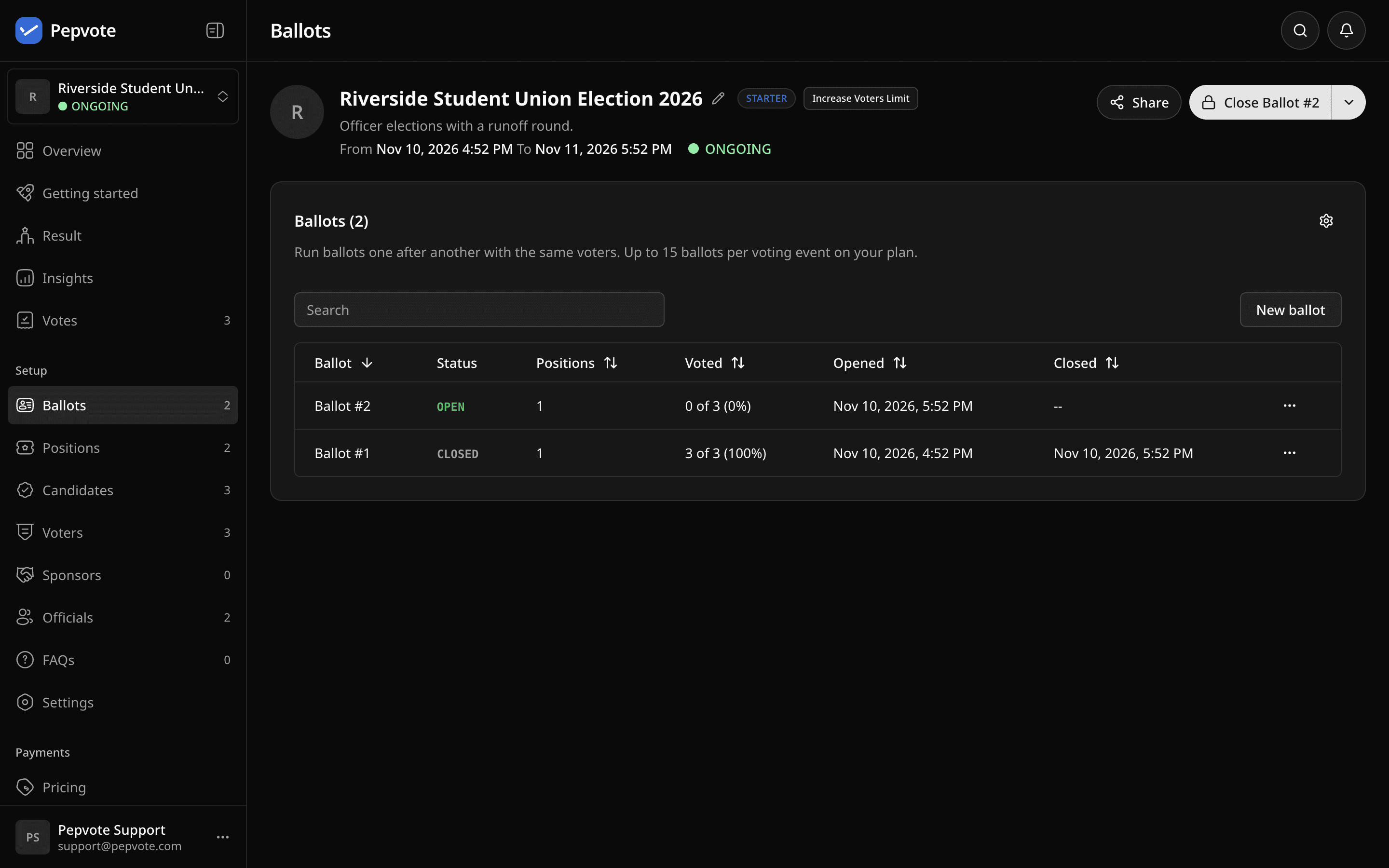 The Ballots page. One ballot is open at a time.
4. Decide what the room sees
With Live Result on, the waiting screen shows the result of each ballot when it closes. That is useful when you put the screen on a projector. With it off, results stay private while the meeting runs, and you publish them at the end.
The ballot that is open stays hidden in both cases. Nobody sees a running count while members are still voting.
5. Rehearse
Turn on test mode and run the agenda once with two or three colleagues. Open a ballot, vote, close it, and open the next. Then clear the rehearsal with one click. Your real event starts clean.
During the meeting
Open the first ballot when the chair calls the vote
A meeting follows an agenda, not a clock. You do not need a fixed start time. Select Open on the first ballot when the chair calls the vote, and the event starts at that moment.
Members open the voting link on their phones and enter their voter key. Members who join the meeting remotely do the same from where they are.
Close it, then open the next
Select Close ballot when the chair closes the vote. You can also let a ballot close by itself when every voter has voted.
Between ballots, members see a waiting screen. They do not sign in again. When you open the next ballot, it appears.
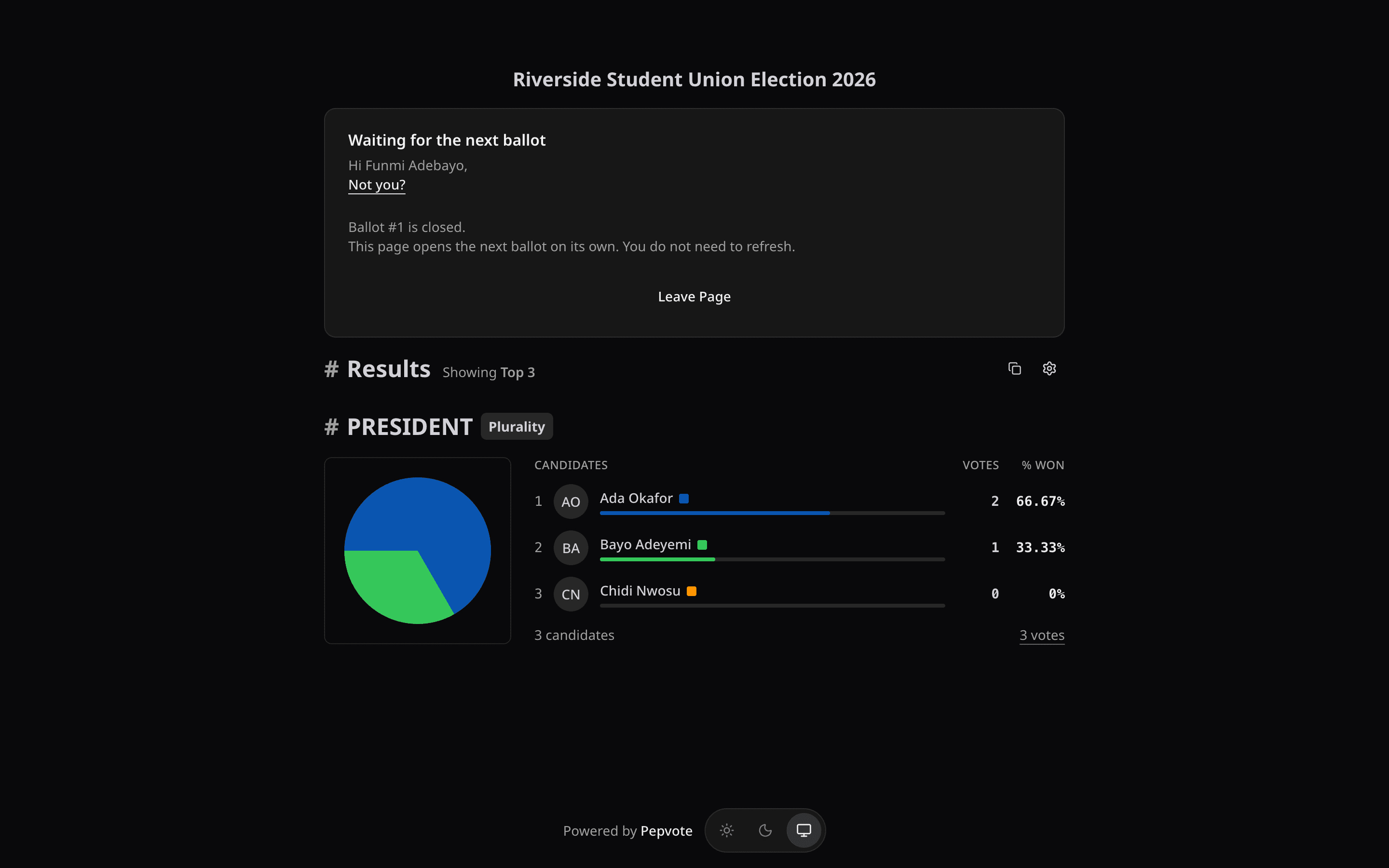 The waiting screen. With Live Result on, it shows the ballot that just closed.
Run a runoff in a minute
The chair race ends with nobody at a majority. Open the menu on that ballot and select New ballot from this ballot. Then choose how the new ballot starts.
- Copy and keep the top N keeps the leading candidates. For a two-person runoff, keep the top 2.
- Copy and remove winners runs the position again without the candidates who took its seats.
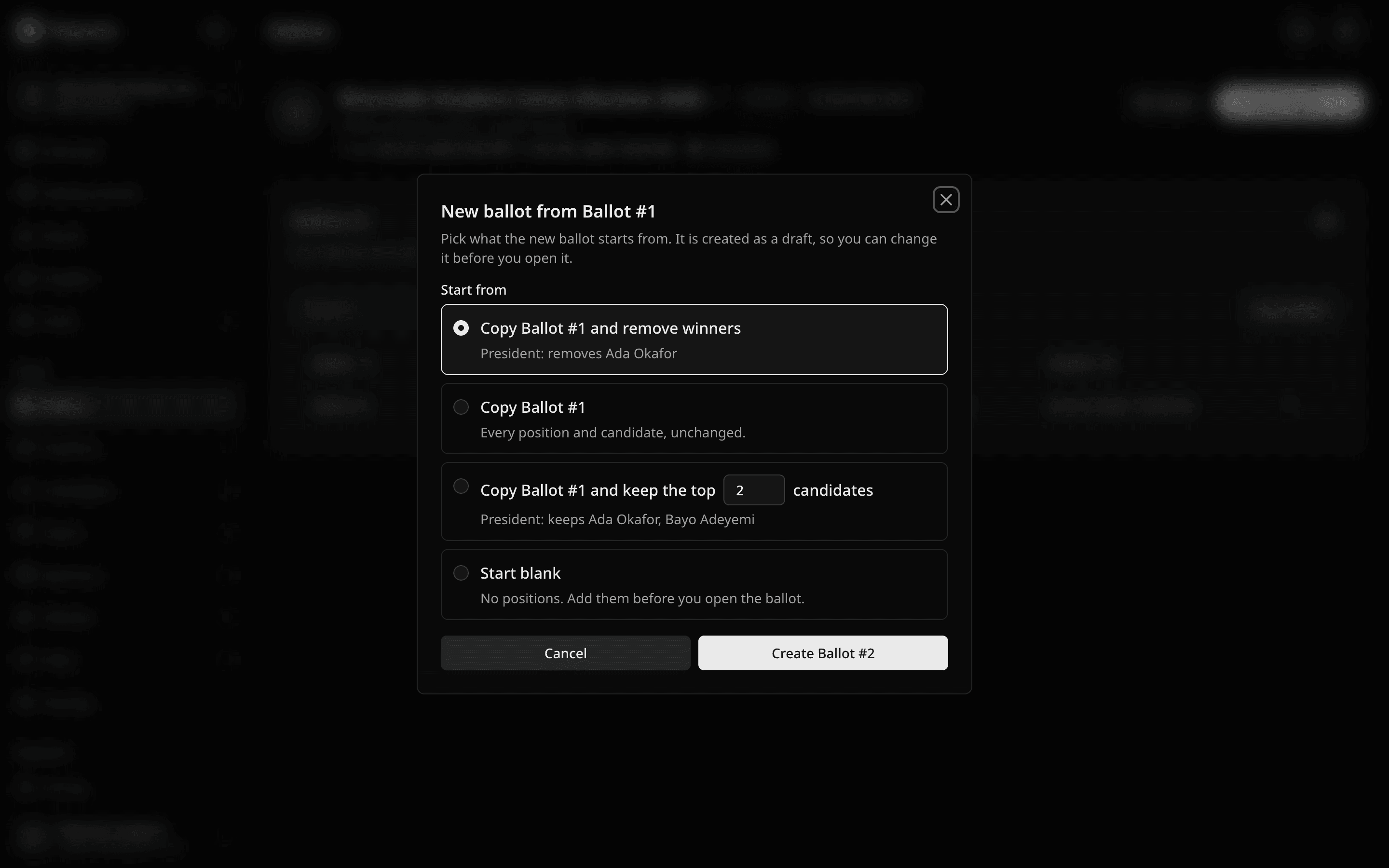 The dialog names who each option keeps or removes before you confirm.
Check the draft and open it. If two candidates tie at the cut, Pepvote keeps both.
Add a member who arrives late
While no ballot is open, you can add a voter or approve a pending registration. That person can vote from the next ballot you open. While a ballot is open, the voter list is locked, so close the ballot first.
After the meeting
- Download the result. The All ballots view and its PDF give each ballot its own section.
- Declare the outcome yourself. For a motion, Pepvote shows the For and Against split against all responses and against valid responses. You compare it with the majority your constitution requires. We explained why in We count the votes. You declare the winner.
- Fix a missed vote. For 7 days after the event ends, you can add another ballot or reopen voting. After that, the event locks.
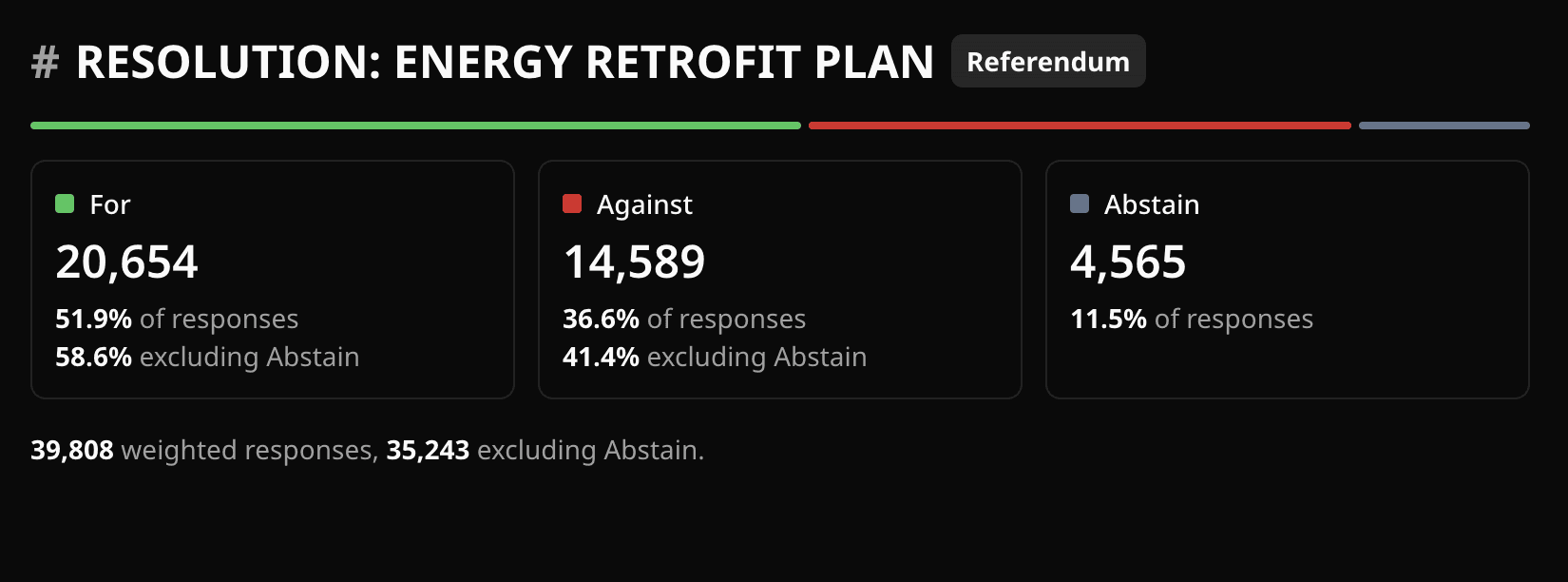 The result of a motion. Pepvote reports the split, and you compare it with your threshold.
See one that already ran
The residents' association demo has four ballots, with a ten-candidate chair race and its runoff. Open it before you plan your own.
The Support Center has the full multi-ballot guide and a guide to referendums.