Guides Tunji Oyeniran
How to choose a voting method
Plurality, approval, score, cumulative, quadratic, ranked choice, and referendum. What each one asks the voter to do, and when to use it.

A voting method is the question you put to the voter. "Pick one." "Pick all you accept." "Put them in order." The same voters can produce different results under different methods, so the choice matters.
Pepvote has seven methods, and you set one for each position. This guide explains them in plain terms.
First, read your rules
If your constitution names a method, use that method. This guide is for the cases where the rules are silent, or where you write the rules yourself, as for an award or a community poll.
The short version
| If you want to... | Use |
|---|---|
| Fill one seat with the least explanation | Plurality |
| Find the option most people accept | Approval |
| Judge quality, as on a panel | Score |
| Let a minority concentrate its support | Cumulative |
| Measure how strongly people feel | Quadratic |
| Fill a seat without a separate runoff | Ranked choice |
| Decide a yes or no question | Referendum |
Plurality
The voter does this: picks one candidate. For a position with several seats, you can allow more than one pick.
 Plurality: one pick.
Use it when the race is simple and everyone already understands it. Most executive elections use it.
Watch for vote splitting. When two similar candidates share their supporters, a third candidate can lead with fewer than half the votes.
With more than one pick, the ballot changes. Set the limit to the number of seats, and each choice gets a checkbox instead of a radio button. The voter ticks up to that limit. At the limit, a new tick replaces their first one.
 Plurality with two seats: the voter ticks up to two.
This ballot works like approval. Each tick counts 1, and the candidates with the most ticks lead. The difference is the limit. In plurality, the limit matches the seats, so the voter picks a team. In approval, the limit is usually wider, so the voter ticks everyone they accept.
Approval
The voter does this: ticks every candidate they find acceptable.
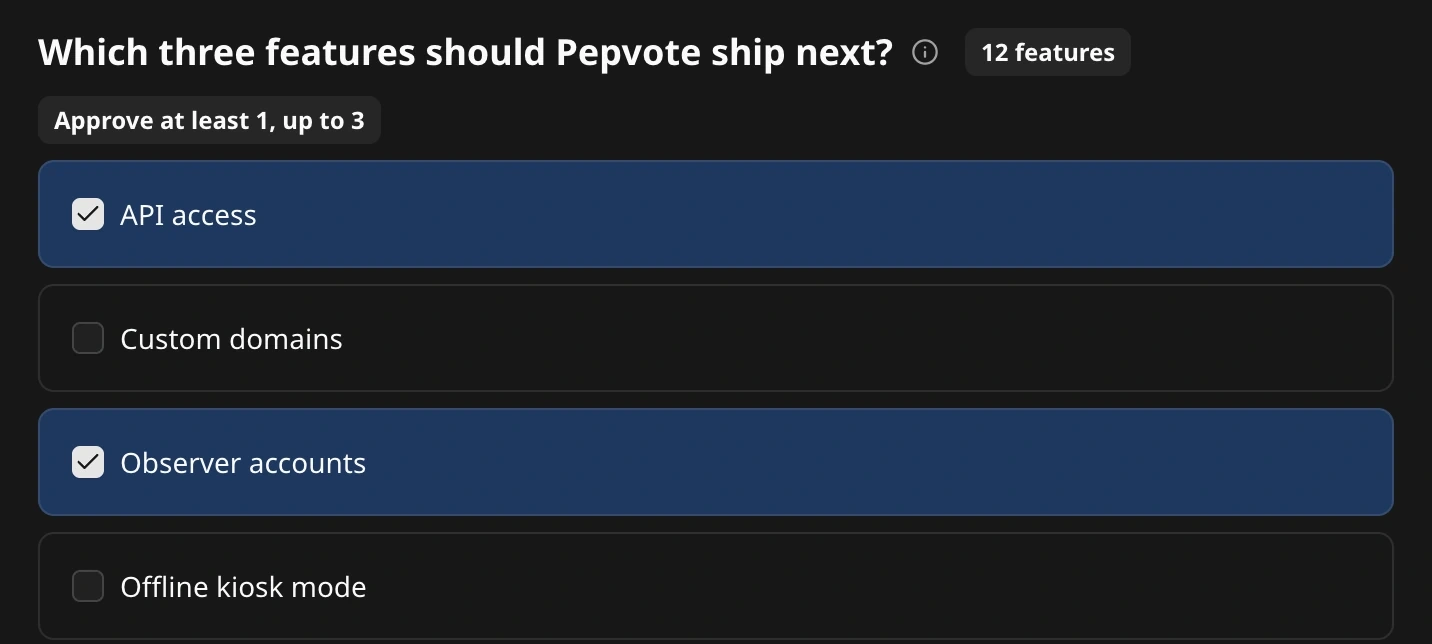 Approval: tick each option you accept, up to the limit you set.
Use it when you need the option with the widest support. It works well for a committee with several seats, a shortlist, or a choice between meeting dates.
Watch for what the percentage means. Each voter can tick several options, so a share of all votes looks small. In the result settings, Percentage Won Base lets you choose. Votes divides by every tick cast. Voters divides by the people who voted, so 80% means 8 in 10 voters approved that candidate. The same choice applies to plurality with more than one pick.
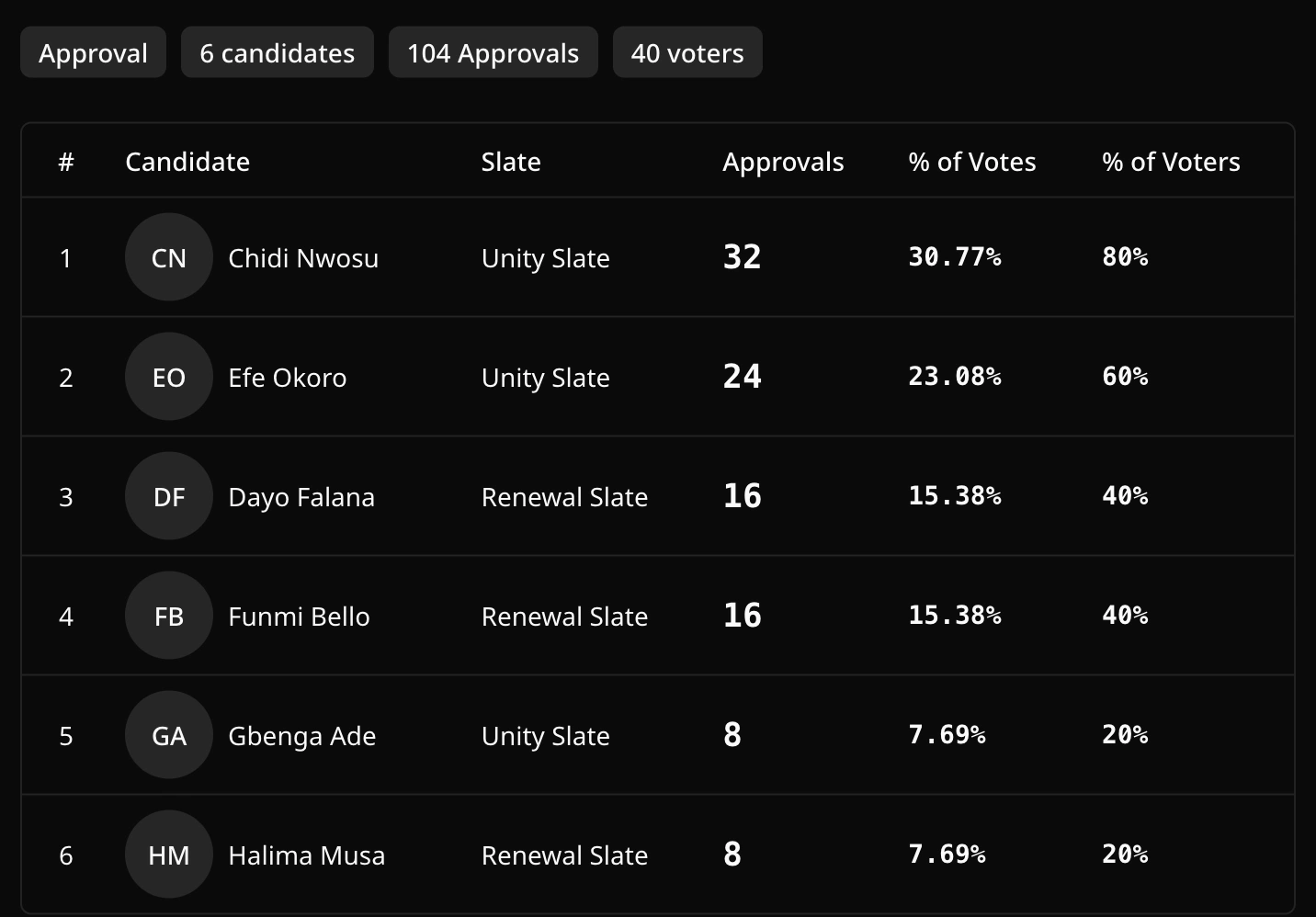 The same count read both ways: 32 approvals is 30.77% of all votes and 80% of voters.
Score
The voter does this: gives each candidate a score on a scale you set, for example 1 to 10.
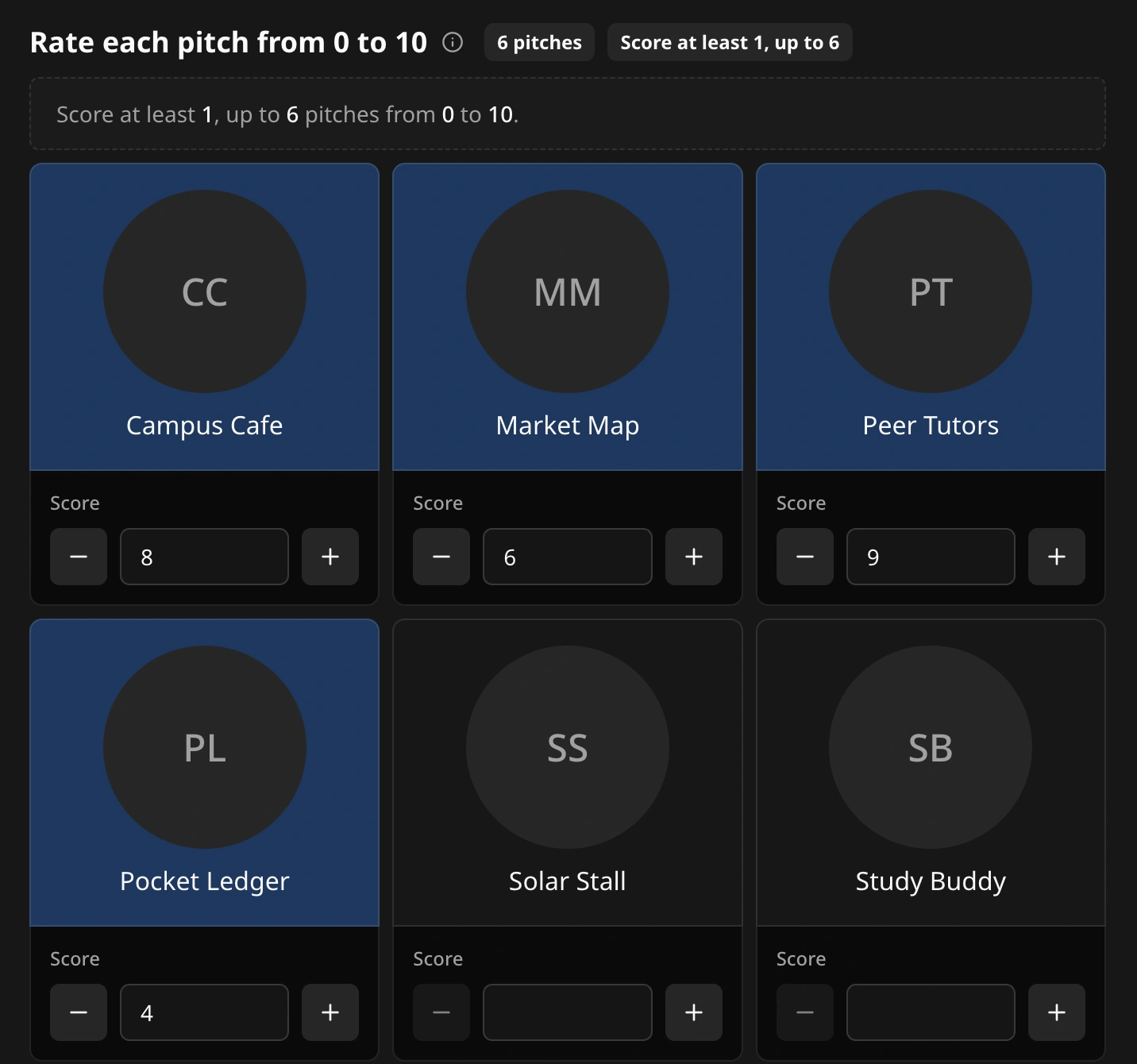 Score: each option gets its own score on the scale you set.
Use it when the vote is a judgment of quality. Award panels, pitch contests, and talent shows fit this method.
Watch for voters who give only the highest and lowest scores. A short scale reduces the effect. Pepvote starts each new score position at 0 to 5, and you can change it.
Cumulative
The voter does this: shares a fixed number of points between the candidates. A voter can put every point on one candidate or spread them.
 Cumulative: 100 points, shared as the voter likes.
Use it when a body wants minority groups to win some seats. A group that puts all its points on one candidate can elect that candidate.
Watch for the explanation. Show voters an example before they start.
Quadratic
The voter does this: spends a budget of credits. One vote for a candidate costs 1 credit, two votes cost 4, and three votes cost 9.
The cost is the number of votes times itself:
| Votes for one candidate | Calculation | Credits |
|---|---|---|
| 1 | 1 × 1 | 1 |
| 2 | 2 × 2 | 4 |
| 3 | 3 × 3 | 9 |
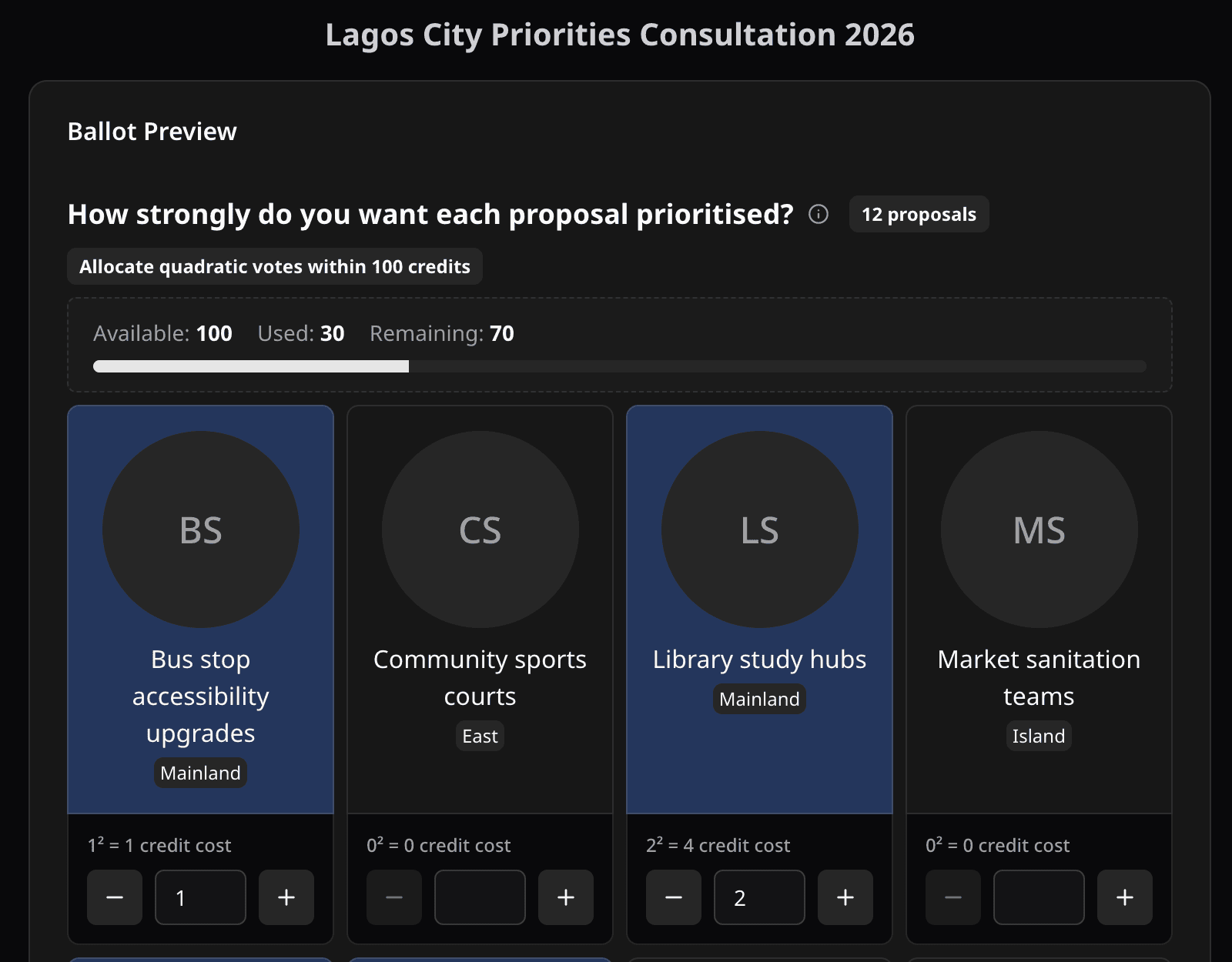 Quadratic: each extra vote for the same option costs more credits.
Use it when you want to measure strength of feeling and stop one group from deciding everything. It suits priorities, community budgets, and awards. In a poll, you can let voters buy more credits up to a limit you set.
Watch for the same problem as cumulative voting. The idea is new to most voters, so give an example.
Ranked choice
The voter does this: puts the candidates in order of preference.
 Ranked choice: the voter drags the options into order.
Use it when you want a result with broad support and no second trip to the polls. In Pepvote you also choose how the ranks are counted.
- Instant-runoff fills one seat. The candidate with the fewest first choices is removed, and those ballots move to their next choice. This repeats round by round.
- Single transferable vote fills several seats. A candidate who reaches the quota takes a seat, and extra support moves to the voters' next choices.
- Borda gives points for each rank and adds them up.
Watch for the count. It takes more than one line to explain, so Pepvote shows every round: which votes moved, where they went, and how many ballots ran out of choices.
 The result of a ranked count, round by round.
You can open this result on the ranked-choice demo.
Referendum
The voter does this: answers For or Against. You can add Abstain.
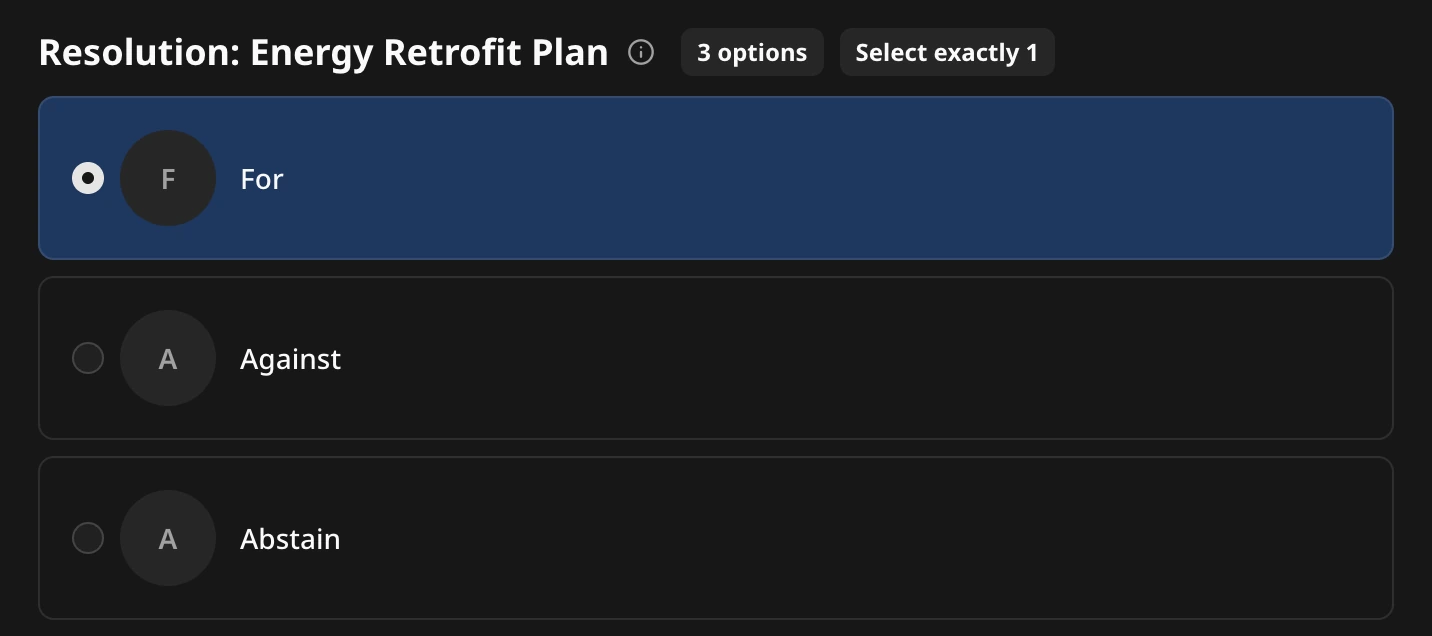 Referendum: For, Against, or Abstain.
Use it when the question is a motion, not a contest. Examples are a change to the constitution, the approval of accounts, or the confirmation of an appointment.
Watch for your threshold. Pepvote shows the split against all responses and against valid responses only. You compare it with the majority your rules require.
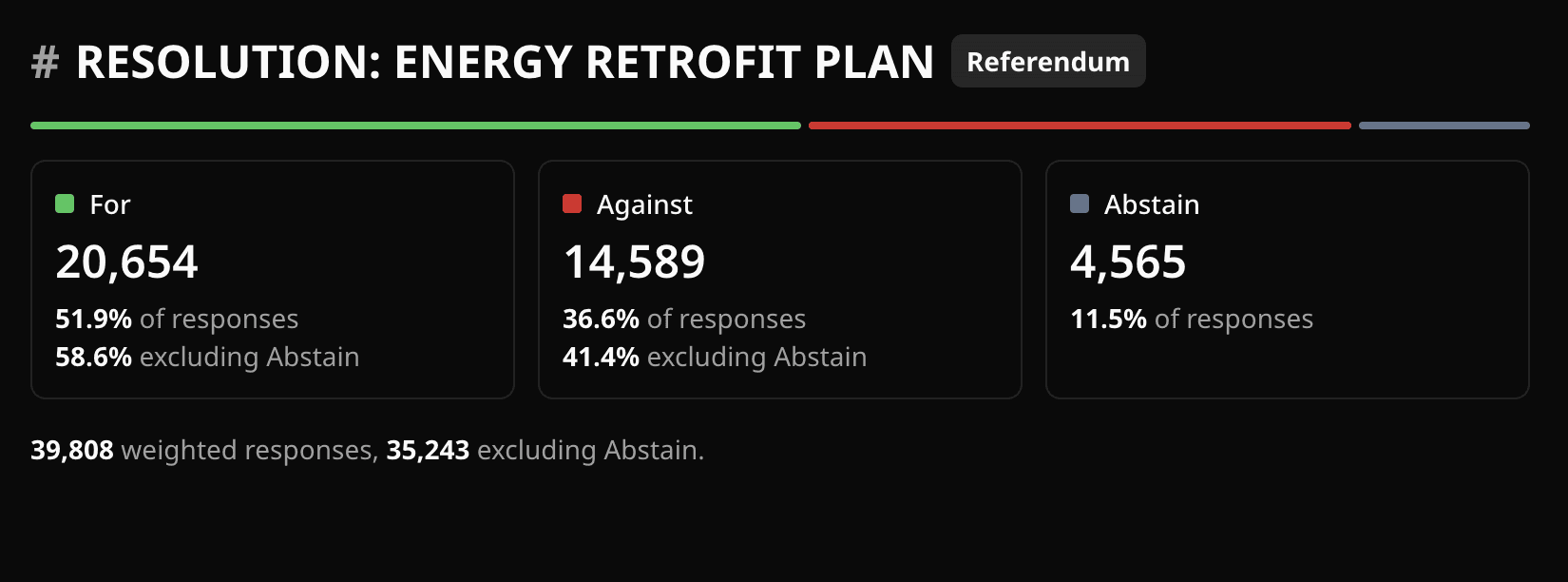 The split is shown twice: with Abstain counted, and without it.
You can mix methods in one event
Each position has its own method. One voting event can elect a president by plurality, fill four committee seats by approval, and put a constitutional change to a referendum.
Whatever you choose
- Tell voters the method before voting day, with one example.
- Open the ballot preview and try it yourself on a phone.
- Remember that Pepvote publishes the count for every method and leaves the declaration to you.
The glossary defines each term on this page, and the Support Center has a longer method overview.